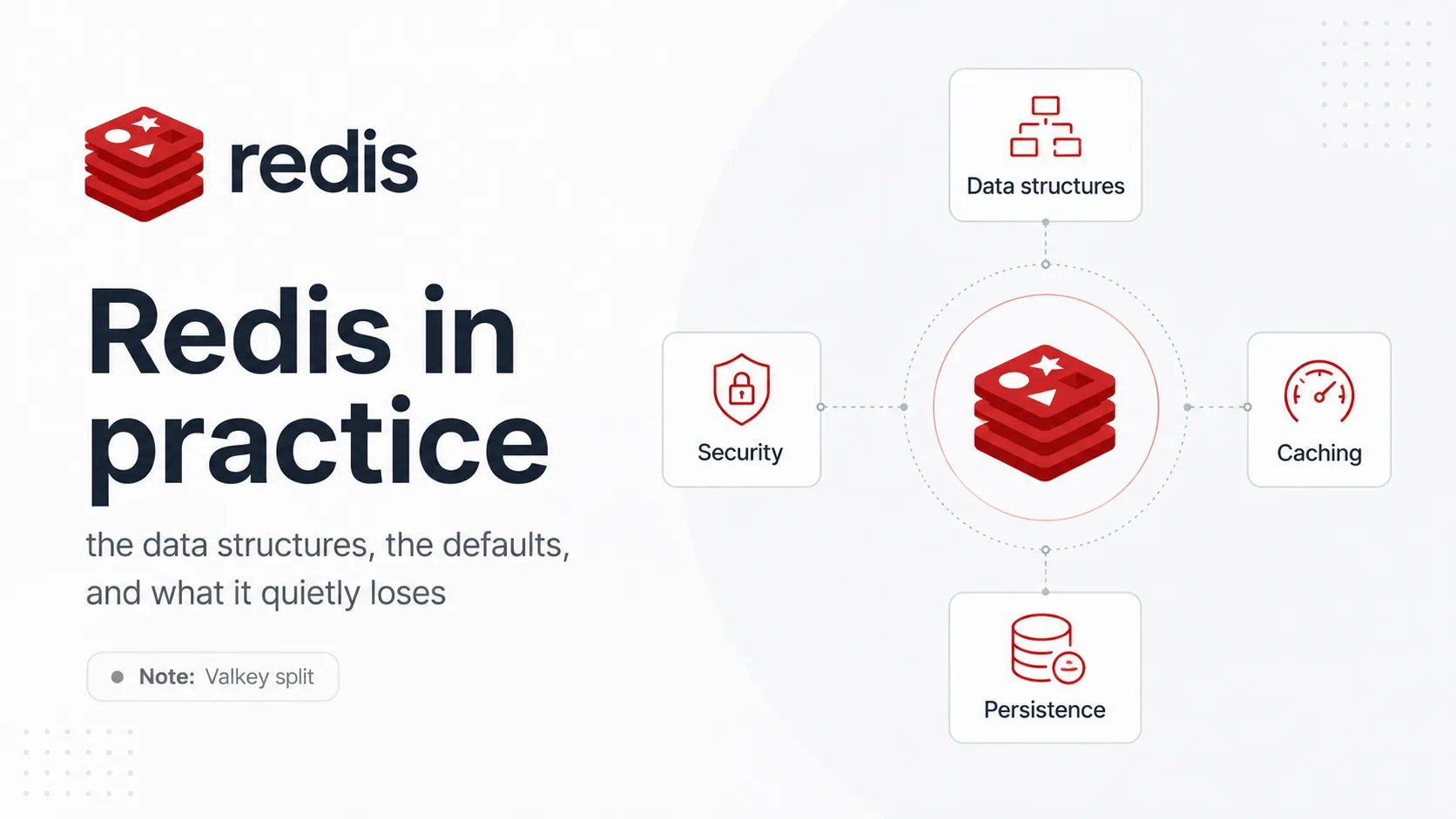
Redis is usually introduced to a codebase as a cache, configured in about four minutes, and then never thought about again until it fills up, loses data nobody expected it to keep, or turns out to have been reachable from the internet the whole time. It deserves better attention than that, because it is far more capable than the cache role most teams give it - and far less forgiving of default settings.
This is a working guide: what Redis actually is, the data structures that make it more than a key-value store, the patterns worth knowing, how persistence and eviction really behave, the licensing situation and the Valkey fork, and an honest account of where it bites.
What Redis actually is
Redis is an in-memory data structure server. That phrase is doing real work: it is not a key-value store where values happen to be strings. The values are lists, sets, sorted sets, hashes, streams and more, and the commands operate on those structures server-side. LPUSH, ZADD and SINTERSTORE do the work where the data lives rather than shipping it to your application to be modified and shipped back.
Single-threaded, and why that is fine
Command execution happens on one thread. No locks, no race conditions between commands, and every individual command is atomic by construction. That is not a compromise - it is the reason Redis is both fast and predictable.
It works because Redis is almost never CPU-bound. Data is in memory, most commands are O(1) or O(log n), and the bottleneck is network I/O rather than computation. Modern versions do use threads for I/O and for background work - Redis 8's I/O threading is reported to roughly double throughput on multi-core machines - but the command execution model is unchanged.
The licensing situation, because you will be asked
This matters practically, so it is worth stating plainly rather than burying.
| Period | Licence | Status |
|---|---|---|
| 1.0 through 7.2 (2009–2023) | BSD | Permissive open source |
| 7.4 only (2024) | RSALv2 and SSPLv1 | Source-available, not OSI open source |
| 8.0 onward (May 2025) | RSALv2, SSPLv1 or AGPLv3 | Open source again, but copyleft |
In March 2024 Redis Ltd. moved off BSD to source-available licensing. The Linux Foundation forked the last BSD release, 7.2.4, as Valkey, backed by AWS, Google Cloud, Oracle and Ericsson. Many Linux distributions switched their default package. Then in May 2025 - after Salvatore Sanfilippo, Redis's original author, rejoined the company - Redis 8.0 added AGPLv3 alongside the source-available options, making Redis open source again.
Both projects are now healthy, both speak the same RESP protocol, and both are fast. Valkey stayed on permissive BSD and is the default on AWS ElastiCache. Redis 8 folded the former Redis Stack modules - JSON, search, time series, probabilistic structures, vector sets - into the core engine.
The data structures
This is the part worth learning properly. Choosing the right structure is usually the difference between an elegant solution and a pile of serialised JSON in string keys.
Strings
SET user:1:name "Naiem"
GET user:1:name

SET session:abc "{...}" EX 3600        # expires in an hour
SET lock:job:42 "worker-7" NX EX 30     # only if it does not exist

INCR page:views                         # atomic counter
INCRBY api:calls:user:1 5
DECR stock:sku-99

MSET a 1 b 2 c 3                        # one round trip instead of three
MGET a b c

SETRANGE / GETRANGE                     # operate on part of a string
APPEND log:today "line\n"
INCR on a missing key starts at zero, and it is atomic. This is the whole implementation of most counters - no read-modify-write, no race.Hashes
HSET user:1 name "Naiem" email "naiem@example.com" plan "pro"
HGET user:1 email
HGETALL user:1
HMGET user:1 name plan                  # only the fields you need
HINCRBY user:1 login_count 1
HDEL user:1 plan

# Per-field expiry - added in Redis 7.4, and genuinely useful
HEXPIRE user:1 3600 FIELDS 1 session_token
HTTL user:1 FIELDS 1 session_token

# Redis 8 additions for cache patterns
HGETEX user:1 EX 600 FIELDS 1 profile   # read and refresh the TTL together
HGETDEL user:1 FIELDS 1 one_time_code # read and delete atomicallyLists
LPUSH queue:emails "job-1"
RPUSH queue:emails "job-2"
LRANGE queue:emails 0 -1                # everything - careful on large lists
LLEN queue:emails

RPOP queue:emails                       # pop one
BRPOP queue:emails 30                   # block up to 30s waiting for one

# Reliable hand-off: atomically move to a processing list
LMOVE queue:emails queue:processing RIGHT LEFT
BLMOVE queue:emails queue:processing RIGHT LEFT 30

LTRIM recent:events 0 999               # keep only the newest 1000
LMOVE is what makes a list-based queue survivable. A plain RPOP loses the job if the worker dies between popping and finishing.Sets and sorted sets
SADD tags:post:1 astro typescript performance
SISMEMBER tags:post:1 astro             # O(1) membership
SCARD tags:post:1
SINTER tags:post:1 tags:post:2          # posts sharing tags
SDIFF followers:1 followers:2
SRANDMEMBER tags:post:1 2 # random sample# Sorted sets: every member has a score, and the set stays ordered by it
ZADD leaderboard 4200 "player:1" 3100 "player:2" 5600 "player:3"
ZREVRANGE leaderboard 0 9 WITHSCORES # top ten
ZRANK leaderboard "player:2" # this player's position
ZINCRBY leaderboard 150 "player:2" # award points atomically
ZRANGEBYSCORE events 1755000000 1755086400 # a time window
ZREMRANGEBYSCORE events -inf 1754000000 # trim old entries
ZADD tasks 1755123456 "job:99" # score = run-at timestamp
ZRANGEBYSCORE tasks -inf 1755100000 LIMIT 0 1 # due jobsStreams
# Append-only log with consumer groups - the durable alternative to pub/sub
XADD orders '*' order_id 42 status paid
XLEN orders
XRANGE orders - + COUNT 10

XGROUP CREATE orders billing 0
XREADGROUP GROUP billing worker-1 COUNT 10 BLOCK 5000 STREAMS orders '>'
XACK orders billing 1755123456-0        # mark as processed

XPENDING orders billing                 # delivered but not acknowledged
XAUTOCLAIM orders billing worker-2 60000 0   # take over a dead worker's messages

XTRIM orders MAXLEN '~' 100000 # cap the length, approximatelyThe rest
| Structure | Use it for |
|---|---|
| Bitmaps | Daily active users, feature flags per user ID - one bit each, tiny |
| HyperLogLog | Approximate unique counts in ~12KB regardless of cardinality, ~0.81% error |
| Geospatial | GEOADD and GEOSEARCH for radius queries - sorted sets underneath |
| Bloom and Cuckoo filters | "Have we seen this before?" without storing everything |
| Top-K and Count-Min Sketch | Approximate heavy hitters in a stream |
| JSON | Nested documents with path queries - JSON.SET, JSON.GET, JSON.ARRAPPEND |
| Time series | Downsampling, retention and aggregation rules built in |
| Vector sets | Similarity search with HNSW indexing, new in Redis 8 |
# HyperLogLog: count uniques without storing them
PFADD visitors:2026-08-14 "user:1" "user:2" "user:3"
PFCOUNT visitors:2026-08-14
PFMERGE visitors:week visitors:2026-08-08 visitors:2026-08-09

# Bitmap: one bit per user, per day
SETBIT active:2026-08-14 1042 1
BITCOUNT active:2026-08-14
BITOP AND active:both active:2026-08-13 active:2026-08-14Expiry and eviction, where people get hurt
These are two different mechanisms and confusing them is the source of a lot of surprise data loss.
Expiry: keys you told to die
SET session:abc "..." EX 3600           # set with a TTL
EXPIRE session:abc 7200                 # add or change a TTL
TTL session:abc                         # seconds left, -1 = no TTL, -2 = gone
PERSIST session:abc                     # remove the TTL

SET counter 5 KEEPTTL # overwrite the value, keep the TTLSET without KEEPTTL clears any existing TTL. That is how session keys quietly become immortal.Eviction: keys Redis kills because it ran out of room
maxmemory 4gb
maxmemory-policy allkeys-lru| Policy | Behaviour |
|---|---|
noeviction | The default. Writes fail with an error when memory is full. Reads still work |
allkeys-lru | Evict least recently used, from any key. The right choice for a pure cache |
allkeys-lfu | Evict least frequently used. Better when access is skewed toward a hot subset |
volatile-lru | Evict least recently used, but only keys that have a TTL |
volatile-ttl | Evict keys with a TTL, shortest remaining first |
allkeys-random | Evict at random. Occasionally the right answer, rarely |
If one instance holds both cache data and data you cannot lose, you have a problem no eviction policy solves. Split them into two instances with different policies.
Persistence, and what durable really means
Redis can persist to disk, and many people assume that makes it a database. It is closer to a very good cache that can usually recover its contents.
| Mechanism | How it works | Worst case on crash |
|---|---|---|
| RDB snapshots | Fork and write a point-in-time dump periodically | Everything since the last snapshot - potentially minutes |
AOF, appendfsync everysec | Append every write, fsync once per second | About one second of writes |
AOF, appendfsync always | fsync on every write | Nothing, at a substantial throughput cost |
| Both | AOF for durability, RDB for fast restarts and backups | Same as your AOF setting |
# Sensible for data you would rather not lose
appendonly yes
appendfsync everysec
auto-aof-rewrite-percentage 100
auto-aof-rewrite-min-size 64mb

save 900 1        # RDB snapshot too, for fast restart and backups
save 300 10
save 60 10000Patterns worth knowing
Cache-aside
async function getProduct(id: string) {
  const key = `product:${id}`

  const cached = await redis.get(key)
  if (cached) return JSON.parse(cached)

  const product = await db.product.findUnique({ where: { id } })
  if (!product) return null

  // Jitter the TTL so a batch of keys does not all expire together
  const ttl = 300 + Math.floor(Math.random() * 60)
  await redis.set(key, JSON.stringify(product), 'EX', ttl)

  return product
}Rate limiting
-- Sliding window rate limit, atomic
-- KEYS[1] = key, ARGV[1] = now (ms), ARGV[2] = window (ms), ARGV[3] = limit
redis.call('ZREMRANGEBYSCORE', KEYS[1], 0, ARGV[1] - ARGV[2])
local count = redis.call('ZCARD', KEYS[1])

if count >= tonumber(ARGV[3]) then
  return 0
end

redis.call('ZADD', KEYS[1], ARGV[1], ARGV[1] .. '-' .. math.random())
redis.call('PEXPIRE', KEYS[1], ARGV[2])
return 1# Simpler fixed-window version, no Lua needed
MULTI
INCR rate:user:1:minute:29251835
EXPIRE rate:user:1:minute:29251835 60
EXECDistributed locks, and the caveat
# Acquire: set only if absent, with an expiry so a dead holder releases it
SET lock:invoice:42 "$UNIQUE_TOKEN" NX PX 30000

# Release: only if we still hold it - must be atomic
EVAL "if redis.call('GET', KEYS[1]) == ARGV[1] then
        return redis.call('DEL', KEYS[1])
      else
        return 0
end" 1 lock:invoice:42 "$UNIQUE_TOKEN"Pub/sub versus streams
# Pub/sub: fire and forget. No history, no delivery guarantee.
SUBSCRIBE cache:invalidate
PUBLISH cache:invalidate "product:42"

# A subscriber that was disconnected receives nothing. Ever.Sessions
HSET session:abc123 user_id 42 role admin csrf "xyz"
EXPIRE session:abc123 1800

# Sliding expiry on each request - read and refresh in one round trip
HGETEX session:abc123 EX 1800 FIELDS 2 user_id role
Replication, failover and clustering
| Setup | What it gives you | What it does not |
|---|---|---|
| Single instance | Simplicity | Any redundancy at all |
| Primary with replicas | Read scaling, a warm standby | Automatic failover |
| Sentinel | Automatic failover and client discovery | Sharding - one primary still holds everything |
| Cluster | Sharding across nodes plus failover | Multi-key operations across slots, and simplicity |
Replication is asynchronous by default, which means a failover can lose recent writes. WAIT lets a client block until a number of replicas have acknowledged, but it is a per-command tool rather than a consistency guarantee.
# On the replica
REPLICAOF primary.internal 6379

# Inspect
INFO replication

# Require at least 2 replicas within 10 seconds, or refuse writes
min-replicas-to-write 2
min-replicas-max-lag 10Cluster shards keys across 16,384 hash slots. The constraint people hit: multi-key commands only work when all keys live in the same slot. Hash tags force that - user:{42}:profile and user:{42}:sessions hash on the braced part and land together.
Performance and memory
# What is Redis actually doing right now?
redis-cli INFO stats
redis-cli INFO memory
redis-cli --stat                        # live counters

# Commands slower than 10ms
CONFIG SET slowlog-log-slower-than 10000
SLOWLOG GET 20

# Per-command time and call counts - find your hot path
INFO commandstats
INFO latencystats

# Watch live traffic. Expensive - never leave it running in production.
redis-cli MONITOR

# Find big keys and hot keys without blocking
redis-cli --bigkeys
redis-cli --memkeys
redis-cli --hotkeys                     # needs an LFU eviction policy
Never run KEYS in production
# O(n), blocks the server for the whole scan
KEYS user:*                             # do not

# Cursor-based, non-blocking, safe on any size
SCAN 0 MATCH user:* COUNT 100
redis-cli --scan --pattern 'user:*'

# Structure-specific equivalents
HSCAN user:1 0
SSCAN tags:post:1 0
ZSCAN leaderboard 0
SCAN may return duplicates and does not guarantee a consistent snapshot. That is the price of not blocking, and it is nearly always worth paying.Round trips are the real cost
# Pipelining: send many commands, read many replies, one round trip
const pipeline = redis.pipeline()
for (const id of ids) pipeline.hgetall(`product:${id}`)
const results = await pipeline.exec()

# MULTI/EXEC: atomic, but note this is not a rollback-capable transaction
MULTI
DECRBY stock:sku-99 1
INCRBY sold:sku-99 1
EXECMemory
- Short key names matter at scale. A million keys named
user:session:token:carry a million copies of that prefix. - Small hashes, lists and sorted sets are stored in a compact listpack encoding. Exceeding the configured thresholds silently switches to a much larger representation - check with
OBJECT ENCODING. MEMORY USAGE <key>tells you what one key costs, including overhead.- Redis 8 unified hash field-and-value and sorted set score-and-value into single structs, which improves cache efficiency and reduces overhead.
- Fragmentation is real.
mem_fragmentation_ratiowell above 1.5 inINFO memorysuggests enablingactivedefrag.
Security
Redis's threat model assumed a trusted network, and that assumption has aged badly. Unsecured instances exposed to the internet are a standing category of incident, and the 8.x line has shipped multiple remote-code-execution fixes.
The July 2026 coordinated security release covered every supported line from 6.2 upward and included use-after-free issues in the client unblock path and in Lua, plus invalid memory access in RESTORE - all described as potentially leading to remote code execution. Patching Redis promptly is not housekeeping.
# Bind to private interfaces only. Never 0.0.0.0 on a public host.
bind 127.0.0.1 10.0.1.5
protected-mode yes

requirepass "a-long-random-string"

# Rename or disable commands that let a client wreck the server
rename-command FLUSHALL ""
rename-command FLUSHDB ""
rename-command CONFIG ""
rename-command DEBUG ""

tls-port 6379
port 0
tls-cert-file /etc/redis/redis.crt
tls-key-file /etc/redis/redis.key# ACLs: per-user permissions, far better than one shared password
ACL SETUSER api-reader on >secret ~cache:* +@read +ping
ACL SETUSER worker on >secret ~queue:* +@read +@write -@dangerous
ACL LIST
ACL WHOAMI
# Who is connected, and from where?
CLIENT LIST
CLIENT KILL ID 42Where Redis falls short
Memory is the constraint, and it is expensive
Everything lives in RAM. A dataset that costs a few dollars a month on disk costs considerably more in memory, and you cannot exceed the memory of a single node without clustering. This is the ceiling most teams hit first.
Durability is a spectrum, not a promise
Even appendfsync always is fsync on a single node. Asynchronous replication means a failover can lose acknowledged writes. If losing a write is unacceptable, the write belongs in a database with real transactions, and Redis holds a derived copy.
No query language
You look things up by key. The Redis Query Engine in Redis 8 adds secondary indexing and search, which helps, but you are still designing your access patterns up front and encoding them in your key structure. There is no equivalent of adding an index later because a new query showed up.
It becomes a hidden source of truth
This is the failure mode that actually hurts. Redis starts as a cache, then holds sessions, then a job queue, then some counters nobody reconstructs from anywhere. One restart with an out-of-date RDB file and you discover which of those you could not actually afford to lose. Write down, per key prefix, whether it is reconstructible.
Operational sharp edges
- One slow command stalls every client, with no per-query timeout to save you.
- Snapshot forks can nearly double memory on a write-heavy instance.
- Cluster mode restricts multi-key operations and complicates every client library.
- Connection limits and the cost of connection churn surprise people at scale - use pooling.
- The default configuration is tuned for a trusted network on a developer laptop, not for production.
The alternatives
| Option | It wins on | Redis wins on | Choose it when |
|---|---|---|---|
| Valkey | Permissive BSD licence, Linux Foundation governance, multi-core performance work | Ecosystem, built-in JSON, search, vector sets in core | The AGPL licence is a problem, or you are on AWS ElastiCache |
| Dragonfly | Multi-threaded architecture, higher throughput per node | Maturity, ecosystem, operational track record | One node's throughput is the constraint |
| KeyDB | Multi-threading, active-active replication | Ongoing development pace and community size | You need active-active and can accept a smaller project |
| Memcached | Simplicity, pure caching, multi-threaded | Data structures, persistence, everything else | You genuinely only need a memory cache |
| PostgreSQL | Durability, queries, one system to operate | Latency, throughput, purpose-built structures | The load does not justify a second system |
Mistakes that keep recurring
| Mistake | Consequence |
|---|---|
KEYS * in application code | Blocks the entire server for the duration of the scan |
No maxmemory and no eviction policy | Redis grows until the OS kills it |
allkeys-lru on an instance holding non-cache data | Silent, unexplained data loss |
| Assuming RDB persistence means durable | Minutes of writes gone after a crash |
| Identical TTLs across a batch of keys | Synchronised expiry, then a stampede on the database |
| Storing whole objects as JSON strings | Read and rewrite everything to change one field - use a hash |
| Pub/sub for work that must not be lost | Disconnected subscribers miss messages permanently. Use streams |
| A distributed lock without a unique token | One process deletes another process's lock |
Exposed on 0.0.0.0 with no password | A well-known way to have your server used by someone else |
| No connection pooling | Connection churn becomes the bottleneck long before Redis does |
| Unbounded lists, sets and streams | Memory grows forever. Use LTRIM, ZREMRANGEBYSCORE, XTRIM |
Verdict
Redis is exceptionally good at what it is: a fast, predictable server for data structures that live in memory. Sub-millisecond latency, atomic operations without locking, and primitives - sorted sets, streams, HyperLogLog - that turn genuinely awkward problems into three commands.
The trouble is always the same, and it is not technical. Redis is so easy to add that it accumulates responsibilities nobody wrote down. Cache, then sessions, then a queue, then counters, then a lock - each on defaults, on one instance, with no eviction policy and RDB persistence somebody assumed was durable.
Decide per key prefix whether losing it is survivable, and configure the instance for the strictest answer. If two prefixes need different answers, that is two instances.
Set maxmemory and an eviction policy on day one. Never run KEYS from application code. Jitter your TTLs. Keep durable state in a real database and let Redis hold the derived copy. Do that, and it will be the least troublesome part of your infrastructure for years - which is, after all, why everyone reaches for it.
Sources
- Redis documentation - commands, data types, and operations guides
- Redis release notes - including the 2026 security releases
- Redis licensing - the canonical text on RSALv2, SSPLv1 and AGPLv3
- Valkey - the Linux Foundation fork, BSD licensed
- Redis command reference - every command, with complexity noted
- Distributed locks with Redis - the Redlock algorithm and its caveats