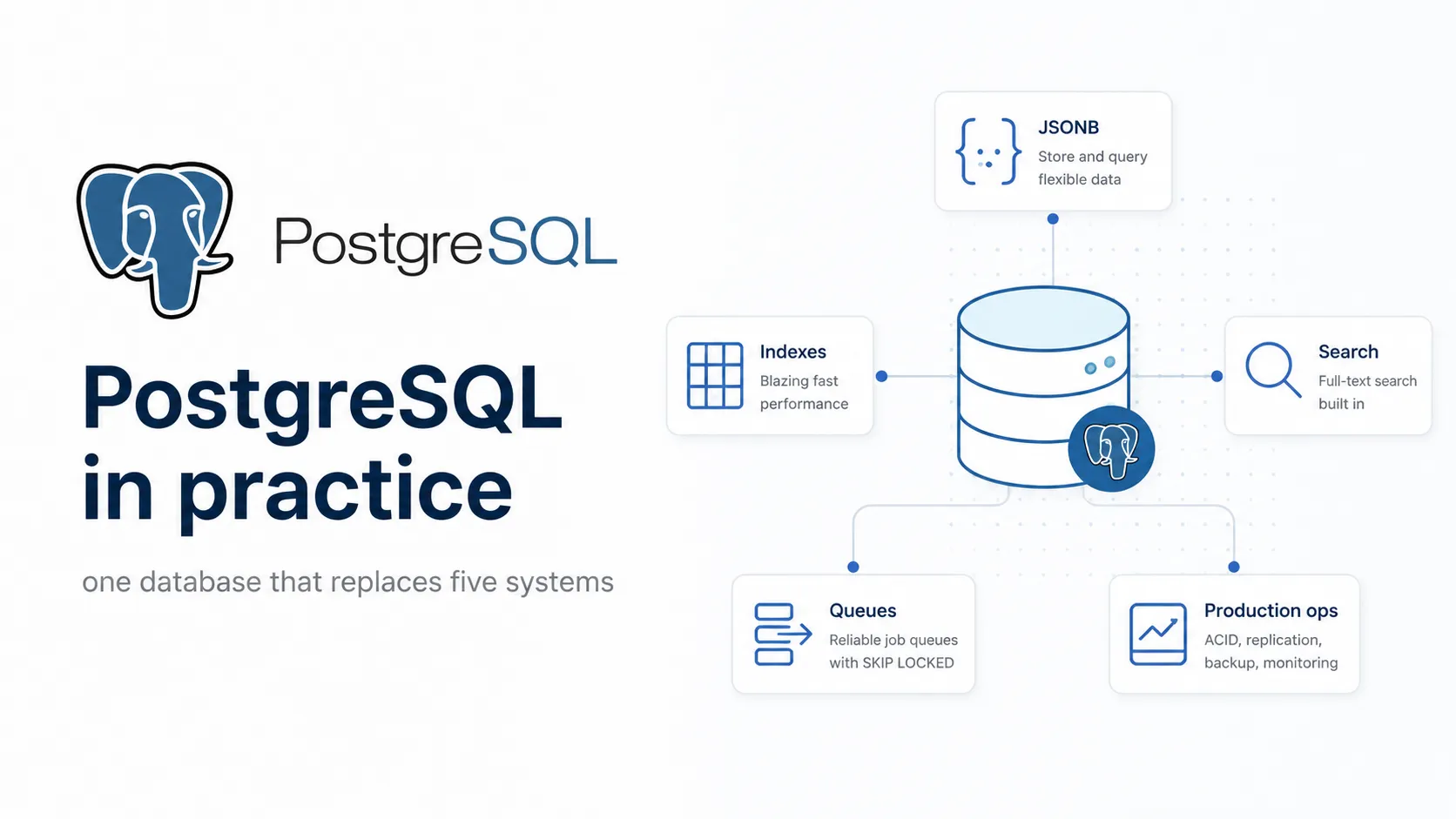
Most teams reach for PostgreSQL as their relational database and stop there. Then, over the next two years, they add Redis for the cache, Elasticsearch for search, RabbitMQ for the job queue, MongoDB for the flexible documents, and a vector database for the AI feature. Five systems to back up, monitor, secure and keep consistent - when the database they started with could have done all five.
This is a long, practical guide to PostgreSQL: what it is, the features that make it different, working tutorials you can follow along with, the extensions that expand what it covers, the mistakes that bite people, and an honest account of where it runs out of road.
What PostgreSQL actually is
PostgreSQL is an open-source object-relational database with roots in the POSTGRES project at Berkeley in the 1980s. It is developed by a global group rather than a company, released under a permissive licence, and has no paid tier, no enterprise edition and no feature held back for customers. What you download is the whole thing.
That governance model explains a lot about how it behaves. Releases are annual and boring. Correctness wins over speed in design arguments. Features arrive when they are finished rather than when a quarter ends. Nobody can buy it and change the licence, which after the last few years of database licence changes is worth something on its own.
The design decision that shapes everything
PostgreSQL was built to be extended. Types, operators, index methods, functions, languages and even foreign data wrappers are all things you can add without patching the server. Extensions are not a plugin afterthought - the catalog was designed for them from the beginning.
This is why PostgreSQL keeps absorbing categories other people build separate products for. Geospatial became PostGIS. Time series became TimescaleDB. Vector search became pgvector. Each arrived as an extension rather than a fork, and each inherited transactions, backups, replication, security and the query planner for free.
What is new in 18
| Feature | Why it matters |
|---|---|
| Asynchronous I/O subsystem | Up to 3× improvement on reads from storage for sequential scans, bitmap heap scans and vacuum |
| B-tree skip scan | Multicolumn indexes now usable when you omit an equality condition on a leading column |
uuidv7() | Timestamp-ordered UUIDs, which index far better than random v4 values |
Planner statistics survive pg_upgrade | No more performance cliff after a major upgrade while ANALYZE catches up |
| Virtual generated columns | Computed at read time, now the default for generated columns |
| Temporal constraints | PRIMARY KEY, UNIQUE and FOREIGN KEY over ranges - non-overlapping periods enforced by the database |
OLD and NEW in RETURNING | See both before and after values from INSERT, UPDATE, DELETE and MERGE |
| OAuth authentication | Token-based auth without an external proxy |
| Data checksums on by default | initdb now enables them; corruption gets detected rather than silently spreading |
CREATE ROLE and ALTER ROLE now warn you.Getting started
Install and connect
# macOS
brew install postgresql@18
brew services start postgresql@18

# Debian and Ubuntu - use the PGDG repository, not the distro package
sudo apt install -y postgresql-common
sudo /usr/share/postgresql-common/pgdg/apt.postgresql.org.sh
sudo apt install -y postgresql-18

# Docker - the fastest way to get a throwaway instance
docker run --name pg -e POSTGRES_PASSWORD=secret -p 5432:5432 -d postgres:18createdb shop
psql shop
-- or connect with a URL
psql postgresql://user:secret@localhost:5432/shoppsql, which is worth ten minutes of your life
The built-in client is far better than most people realise. Learning half a dozen backslash commands removes most of your reasons to open a GUI.
\l              -- list databases
\c shop         -- connect to a database
\dt             -- list tables
\d orders       -- describe a table: columns, indexes, constraints, triggers
\di             -- list indexes
\df            -- list functions
\dx             -- list installed extensions
\x              -- toggle expanded output - essential for wide rows
\timing         -- show how long each query takes
\e              -- edit the last query in $EDITOR
\i script.sql   -- run a file
\copy (SELECT * FROM orders) TO 'orders.csv' CSV HEADER   -- export client-side
\watch 2        -- rerun the last query every 2 seconds
\?              -- all of them
\q              -- quit
\x auto is the setting most people want - expanded output only when the row is too wide for the terminal.A first schema
CREATE TABLE customers (
    id          bigint GENERATED ALWAYS AS IDENTITY PRIMARY KEY,
    email       text NOT NULL UNIQUE,
    full_name   text NOT NULL,
    created_at  timestamptz NOT NULL DEFAULT now()
);

CREATE TABLE orders (
    id           bigint GENERATED ALWAYS AS IDENTITY PRIMARY KEY,
    customer_id  bigint NOT NULL REFERENCES customers(id) ON DELETE RESTRICT,
    status       text NOT NULL DEFAULT 'pending',
    total_cents  integer NOT NULL,
    placed_at    timestamptz NOT NULL DEFAULT now(),

    CONSTRAINT orders_total_positive CHECK (total_cents > 0),
    CONSTRAINT orders_status_valid
        CHECK (status IN ('pending', 'paid', 'shipped', 'cancelled'))
);

CREATE INDEX orders_customer_placed_idx
ON orders (customer_id, placed_at DESC);serial, timestamptz over timestamp, money as integer cents, and constraints written at creation rather than added later.The type system is the selling point
Most databases give you numbers, strings and dates. PostgreSQL gives you a type system rich enough that a lot of application-level validation becomes unnecessary.
JSONB - documents inside a relational database
jsonb stores JSON in a parsed binary form: slower to write than raw text, far faster to query, and indexable. It means you can keep the structured 90% of your data in columns and the genuinely variable 10% in a document, in the same row, in the same transaction.
ALTER TABLE orders ADD COLUMN metadata jsonb NOT NULL DEFAULT '{}';

UPDATE orders
SET metadata = '{"channel": "mobile", "coupon": "EID25", "items": 3}'
WHERE id = 1;

-- -> returns jsonb, ->> returns text
SELECT id, metadata ->> 'channel' AS channel
FROM orders
WHERE metadata ->> 'coupon' = 'EID25';

-- @> is containment, and it is the operator a GIN index accelerates
SELECT id FROM orders WHERE metadata @> '{"channel": "mobile"}';

-- nested paths
SELECT metadata #>> '{shipping,city}' FROM orders WHERE id = 1;

CREATE INDEX orders_metadata_idx ON orders USING gin (metadata);jsonb column makes containment queries fast. Without it, every such query is a sequential scan.Arrays, enums, ranges and domains
-- Arrays
ALTER TABLE orders ADD COLUMN tags text[] NOT NULL DEFAULT '{}';
SELECT * FROM orders WHERE tags @> ARRAY['priority'];
SELECT * FROM orders WHERE 'gift' = ANY(tags);

-- Enums: compact storage, ordered, but adding values needs DDL
CREATE TYPE order_status AS ENUM ('pending', 'paid', 'shipped', 'cancelled');

-- Ranges: a first-class interval type with proper operators
CREATE TABLE room_bookings (
    room_id  bigint NOT NULL,
    period   tstzrange NOT NULL,
    EXCLUDE USING gist (room_id WITH =, period WITH &&)
);EXCLUDE constraint makes double-booking a room physically impossible. No application check, no race condition, no retry logic.The exclusion constraint above deserves a second look. Preventing overlapping bookings in application code means reading, checking, then writing - and two concurrent requests can both pass the check before either writes. The database constraint has no such window. This is the general shape of the argument for putting rules in the database: correctness that does not depend on every code path remembering.
-- Domains: a reusable constrained type
CREATE DOMAIN email AS text
    CHECK (VALUE ~ '^[^@\s]+@[^@\s]+\.[^@\s]+$');

CREATE TABLE subscribers (
    id       bigint GENERATED ALWAYS AS IDENTITY PRIMARY KEY,
    address  email NOT NULL UNIQUE
);| Type | Use it for |
|---|---|
jsonb | Variable, semi-structured data you sometimes query |
text[] | Small unordered sets - tags, flags, roles |
tstzrange, daterange, numrange | Periods and intervals, with overlap operators |
inet, cidr, macaddr | Network addresses, with real containment operators |
uuid | Identifiers - use uuidv7() in 18 for index locality |
numeric | Money and anything where floating point rounding is unacceptable |
tsvector | Full-text search documents |
interval | Durations - now() + interval '30 days' just works |
Queries you should know
Upsert
INSERT INTO customers (email, full_name)
VALUES ('naiem@example.com', 'Naiem Inahid')
ON CONFLICT (email) DO UPDATE
    SET full_name = EXCLUDED.full_name
RETURNING id, (xmax = 0) AS was_inserted;
EXCLUDED is the row you tried to insert. The xmax = 0 trick tells you whether the row was created or updated.RETURNING, which saves a round trip
-- Standard: get the generated id back with the insert
INSERT INTO orders (customer_id, total_cents)
VALUES (1, 4999)
RETURNING id, placed_at;

-- PostgreSQL 18: see the before and after values
UPDATE orders SET status = 'paid' WHERE id = 1
RETURNING OLD.status AS previous, NEW.status AS current;
Common table expressions
WITH monthly AS (
    SELECT date_trunc('month', placed_at) AS month,
           sum(total_cents)               AS revenue_cents
    FROM orders
    WHERE status = 'paid'
    GROUP BY 1
)
SELECT month,
       revenue_cents / 100.0 AS revenue,
       lag(revenue_cents) OVER (ORDER BY month) / 100.0 AS previous
FROM monthly
ORDER BY month DESC;
CTEs also recurse, which is how you query hierarchies - org charts, category trees, threaded comments - without pulling everything into the application and looping.
WITH RECURSIVE subtree AS (
    SELECT id, parent_id, name, 1 AS depth
    FROM categories
    WHERE id = 3

    UNION ALL

    SELECT c.id, c.parent_id, c.name, s.depth + 1
    FROM categories c
    JOIN subtree s ON c.parent_id = s.id
)
SELECT repeat(' ', depth - 1) || name AS tree FROM subtree ORDER BY depth;Window functions
Window functions compute across a set of rows while keeping every row in the output - rankings, running totals, comparisons to the previous row. Anything you were planning to do with a loop in application code is probably a window function.
SELECT
    customer_id,
    placed_at,
    total_cents,
    row_number() OVER w                       AS order_number,
    sum(total_cents) OVER w                   AS running_total,
    total_cents - lag(total_cents) OVER w     AS change_from_previous,
    avg(total_cents) OVER (
        PARTITION BY customer_id
        ORDER BY placed_at
        ROWS BETWEEN 2 PRECEDING AND CURRENT ROW
    )                                         AS moving_average
FROM orders
WINDOW w AS (PARTITION BY customer_id ORDER BY placed_at);WINDOW clause names a window once and reuses it, which keeps long queries readable.LATERAL joins
LATERAL lets a subquery reference columns from the row to its left. The classic use is top-N-per-group - the three most recent orders for every customer - which is awkward any other way.
SELECT c.full_name, recent.id, recent.placed_at, recent.total_cents
FROM customers c
CROSS JOIN LATERAL (
    SELECT o.id, o.placed_at, o.total_cents
    FROM orders o
    WHERE o.customer_id = c.id
    ORDER BY o.placed_at DESC
    LIMIT 3
) AS recent;LEFT JOIN LATERAL … ON true instead if you want customers with no orders to appear.Indexes: the part that decides whether it is fast
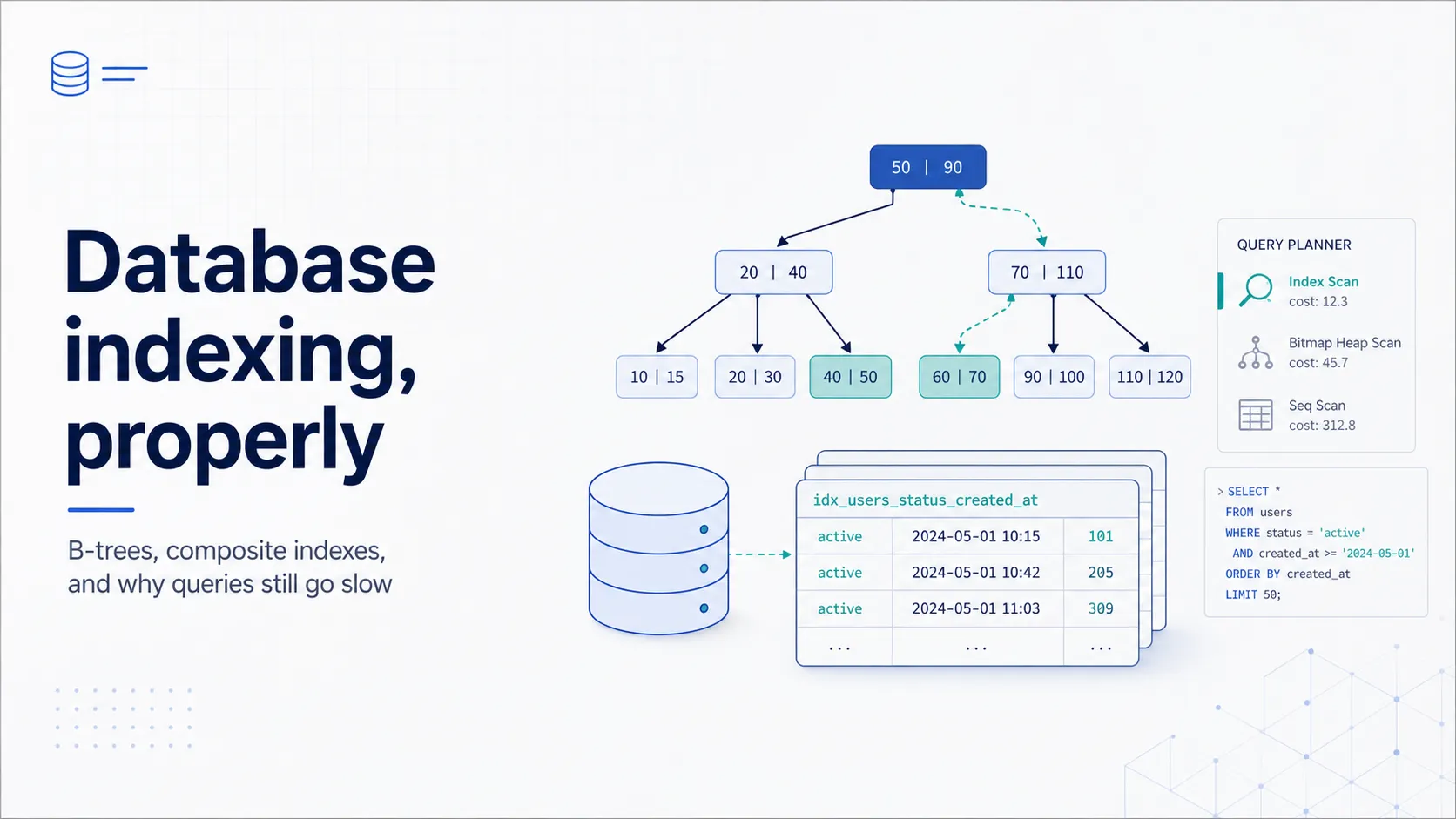
PostgreSQL has several index types, and most people only ever use one. Knowing when to reach for the others is most of the difference between a database that scales and one that does not.
| Type | Good for | Typical use |
|---|---|---|
| B-tree | Equality and range on scalar values | The default. Primary keys, foreign keys, dates, sorting |
| GIN | Values containing multiple items | jsonb, arrays, full-text search |
| GiST | Geometric, range and nearest-neighbour queries | PostGIS, exclusion constraints, ranges |
| BRIN | Very large tables with naturally ordered data | Append-only event logs by timestamp - tiny index, huge table |
| Hash | Equality only | Rarely worth it; B-tree usually wins |
| SP-GiST | Non-balanced structures, partitioned search | Text prefix search, quadtrees |
Partial, expression and covering indexes
-- Partial: index only the rows you actually query
CREATE INDEX orders_pending_idx ON orders (placed_at)
    WHERE status = 'pending';

-- Expression: index the result of a function
CREATE INDEX customers_email_lower_idx ON customers (lower(email));
-- now this uses the index:
SELECT * FROM customers WHERE lower(email) = 'naiem@example.com';

-- Covering: carry extra columns so the query never touches the table
CREATE INDEX orders_customer_idx ON orders (customer_id) INCLUDE (total_cents);

-- Build without locking writes - always use this in production
CREATE INDEX CONCURRENTLY orders_status_idx ON orders (status);Reading EXPLAIN
EXPLAIN shows the plan the planner chose. EXPLAIN ANALYZE runs the query and shows what actually happened, which is the one you want. Add BUFFERS and you can see how much of the work came from cache.
EXPLAIN (ANALYZE, BUFFERS, FORMAT TEXT)
SELECT c.full_name, count(*)
FROM customers c
JOIN orders o ON o.customer_id = c.id
WHERE o.placed_at > now() - interval '30 days'
GROUP BY c.full_name;
EXPLAIN ANALYZE executes the query. Wrap it in a transaction you roll back if the statement writes.- Seq Scan on a large table with a selective filter - usually a missing index, sometimes stale statistics.
- Rows estimate far from actual - the planner is working from bad information. Run
ANALYZE, and considerCREATE STATISTICSfor correlated columns. - Nested Loop with a high row count on the inner side - often a join that should be a hash join; check whether the planner underestimated.
- External merge Disk in a Sort node - the sort spilled to disk. Raise
work_memfor that session or query. - Heap Fetches high on an Index Only Scan - the visibility map is stale; the table needs a vacuum.
- A filter removing most rows after the scan - the predicate could not use the index. An expression or partial index may fix it.
Paste the plan into explain.dalibo.com or explain.depesz.com when it gets long. Both render the tree and highlight where the time went, which is much faster than reading nested indentation by eye.
How far one PostgreSQL goes
Here is the practical case for consolidation. Each of these is a category people routinely add a separate system for, and each is a few lines of SQL away.
Full-text search
ALTER TABLE articles ADD COLUMN search tsvector
    GENERATED ALWAYS AS (
        setweight(to_tsvector('english', coalesce(title, '')),   'A') ||
        setweight(to_tsvector('english', coalesce(body,  '')),   'B')
    ) STORED;

CREATE INDEX articles_search_idx ON articles USING gin (search);

SELECT id, title, ts_rank(search, query) AS rank
FROM articles, websearch_to_tsquery('english', 'postgres index tuning') AS query
WHERE search @@ query
ORDER BY rank DESC
LIMIT 20;
websearch_to_tsquery accepts the syntax users already type - quoted phrases, or, and -exclusions. The weights make title matches outrank body matches.This will not replace Elasticsearch at large scale or with complex relevance tuning. It comfortably handles search over hundreds of thousands of documents, and it stays consistent with your data because it *is* your data - no sync job, no reindex lag, no second system to secure.
A job queue
CREATE TABLE jobs (
    id           bigint GENERATED ALWAYS AS IDENTITY PRIMARY KEY,
    payload      jsonb  NOT NULL,
    run_after    timestamptz NOT NULL DEFAULT now(),
    attempts     integer NOT NULL DEFAULT 0,
    locked_until timestamptz
);

CREATE INDEX jobs_ready_idx ON jobs (run_after)
    WHERE locked_until IS NULL;

-- A worker claims one job atomically
UPDATE jobs SET
    locked_until = now() + interval '5 minutes',
    attempts     = attempts + 1
WHERE id = (
    SELECT id FROM jobs
    WHERE run_after <= now()
      AND (locked_until IS NULL OR locked_until < now())
    ORDER BY run_after
    FOR UPDATE SKIP LOCKED
    LIMIT 1
)
RETURNING id, payload;
FOR UPDATE SKIP LOCKED is the whole trick - each worker skips rows another worker has locked, so ten workers never collide.Jobs enqueued inside the same transaction as your business data cannot get out of sync with it. That property alone is worth a lot: with an external queue, the classic bug is a job that fires for a row that was rolled back.
Pub/sub notifications
-- Listener
LISTEN order_paid;

-- Publisher, from a trigger or application code
SELECT pg_notify('order_paid', json_build_object('order_id', 42)::text);Vector search for AI features
CREATE EXTENSION IF NOT EXISTS vector;

CREATE TABLE chunks (
    id         bigint GENERATED ALWAYS AS IDENTITY PRIMARY KEY,
    doc_id     bigint NOT NULL REFERENCES documents(id) ON DELETE CASCADE,
    content    text   NOT NULL,
    embedding  vector(1536)
);

CREATE INDEX chunks_embedding_idx ON chunks
    USING hnsw (embedding vector_cosine_ops);

-- <=> is cosine distance; <-> is L2, <#> is inner product
SELECT id, content, 1 - (embedding <=> $1) AS similarity
FROM chunks
WHERE doc_id = ANY($2)          -- ordinary SQL filtering, in the same query
ORDER BY embedding <=> $1
LIMIT 10;WHERE clause is the point. A dedicated vector database makes combining similarity with relational filters awkward; here it is one query with a join available if you need one.Two practical notes on pgvector. HNSW is the index you want in almost all cases - better recall and latency than IVFFlat, and it can be built on an empty table. And the vector type caps HNSW indexes at 2,000 dimensions, so for larger embeddings use halfvec, which also roughly halves storage with modest recall loss.
Analytics on the operational database
-- A materialised view for a dashboard
CREATE MATERIALIZED VIEW daily_revenue AS
SELECT date_trunc('day', placed_at)::date AS day,
       count(*)                           AS order_count,
       sum(total_cents)                   AS revenue_cents
FROM orders
WHERE status = 'paid'
GROUP BY 1;

CREATE UNIQUE INDEX daily_revenue_day_idx ON daily_revenue (day);

-- The unique index is what allows this to refresh without blocking readers
REFRESH MATERIALIZED VIEW CONCURRENTLY daily_revenue;
So when do you actually need the other system?
| Instead of | PostgreSQL gives you | Add the separate system when |
|---|---|---|
| Redis | UNLOGGED tables, LISTEN/NOTIFY, advisory locks | You need sub-millisecond reads at very high throughput, or a genuinely separate failure domain |
| Elasticsearch | tsvector with GIN, ranking, weighting, pg_trgm fuzzy matching | Complex relevance tuning, faceted aggregation at scale, or tens of millions of documents |
| RabbitMQ or SQS | SKIP LOCKED queues in the same transaction as your data | Cross-service messaging, fan-out topologies, or very high sustained throughput |
| MongoDB | jsonb with GIN indexes and full transactions | You genuinely have no schema and need horizontal write scaling |
| A vector database | pgvector with HNSW and relational filtering | Above roughly tens of millions of vectors, or you need distributed vector search |
| A data warehouse | Materialised views, window functions, partitioning | Analytical queries start competing with production traffic for resources |
Extensions worth knowing
| Extension | What it adds |
|---|---|
pg_stat_statements | Aggregated statistics per normalised query - the first thing to install anywhere |
pgvector | Vector types, distance operators, HNSW and IVFFlat indexes |
PostGIS | Geospatial types, indexes and hundreds of functions; effectively the industry standard for GIS |
pg_trgm | Trigram similarity - fuzzy matching, LIKE '%…%' acceleration, typo tolerance |
TimescaleDB | Time-series partitioning, continuous aggregates, compression |
pg_partman | Automated creation and retention of table partitions |
postgres_fdw | Query another PostgreSQL database as if its tables were local |
pgcrypto | Hashing and encryption functions in the database |
citext | Case-insensitive text, so you stop writing lower() everywhere |
hypopg | Hypothetical indexes - test whether an index would help before building it |
CREATE EXTENSION IF NOT EXISTS pg_stat_statements;

-- The 20 queries consuming the most total time
SELECT calls,
       round(total_exec_time::numeric, 1)  AS total_ms,
       round(mean_exec_time::numeric, 2)   AS mean_ms,
       rows,
       left(query, 90)                     AS query
FROM pg_stat_statements
ORDER BY total_exec_time DESC
LIMIT 20;Transactions, MVCC and isolation
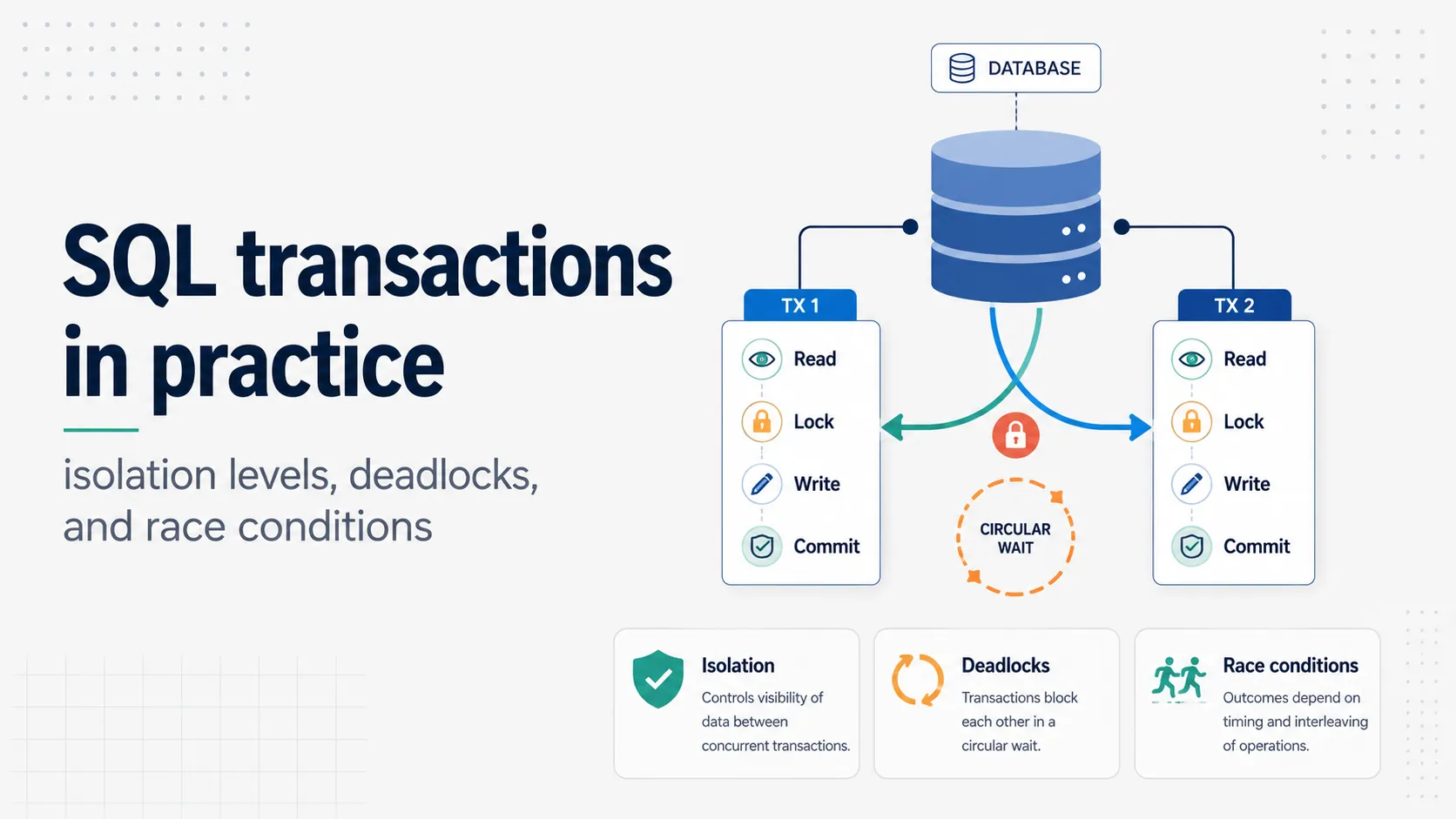
PostgreSQL uses multiversion concurrency control. Writers create new row versions rather than overwriting old ones, so readers never block writers and writers never block readers. Each transaction sees a consistent snapshot.
The cost of that design is dead rows - old versions that no longer belong to any visible snapshot. VACUUM reclaims them, autovacuum runs it for you, and almost every mysterious PostgreSQL performance problem eventually traces back to vacuum not keeping up.
| Isolation level | Prevents | Use it when |
|---|---|---|
| Read Committed (default) | Dirty reads | Almost always - each statement sees a fresh snapshot |
| Repeatable Read | Non-repeatable reads, phantom reads | A multi-statement transaction needs one consistent view |
| Serializable | All anomalies, as if transactions ran one at a time | Correctness matters more than throughput - but handle serialisation failures and retry |
BEGIN;
  -- Row-level lock, held until commit
  SELECT balance FROM accounts WHERE id = 1 FOR UPDATE;
  UPDATE accounts SET balance = balance - 100 WHERE id = 1;
  UPDATE accounts SET balance = balance + 100 WHERE id = 2;
COMMIT;

-- Advisory locks: application-level mutual exclusion, no table needed
SELECT pg_try_advisory_lock(12345);
-- … do the work only one process should do …
SELECT pg_advisory_unlock(12345);Running it in production
Connection pooling is not optional
PostgreSQL uses one operating system process per connection. That model is robust and it does not scale to thousands of connections - each one costs memory, and the context switching gets expensive well before you run out of RAM.
Put PgBouncer or pgcat in front. Transaction pooling mode gives the best multiplexing, at the cost of session-level features: prepared statements need care, SET does not persist across statements, and LISTEN/NOTIFY will not work through the pooler. Serverless environments make this worse rather than better, because each cold function instance wants its own connection.
Settings that matter more than the rest
shared_buffers = 25% of RAM        -- PostgreSQL's own cache
effective_cache_size = 50-75% RAM  -- a hint to the planner, not an allocation
work_mem = 16MB                    -- per sort or hash node, per query - multiply carefully
maintenance_work_mem = 512MB       -- vacuum and index builds
max_connections = 100              -- keep it low; use a pooler for the rest
random_page_cost = 1.1             -- for SSDs; the 4.0 default assumes spinning disks
wal_compression = on
log_min_duration_statement = 500   -- log anything slower than 500ms
work_mem is per operation, not per query. A complex query with several sorts on fifty connections can multiply this into swap.Backups you have actually tested
# Logical dump - portable, restorable per object, slow on large databases
pg_dump -Fc shop > shop.dump
pg_restore -d shop_restored shop.dump

# Physical base backup - the basis of point-in-time recovery
pg_basebackup -D /backup/base -Ft -z -P

# Check what the database itself thinks about vacuum health
SELECT relname, n_dead_tup, last_autovacuum
FROM pg_stat_user_tables
ORDER BY n_dead_tup DESC LIMIT 10;Replication and high availability
- Streaming replication ships the write-ahead log to replicas. Asynchronous by default; synchronous if you need zero data loss and can accept the latency.
- Read replicas take reporting and analytics load off the primary. They lag, so route anything read-after-write back to the primary.
- Logical replication replicates selected tables, works across major versions, and is the basis for near-zero-downtime upgrades.
- Failover is not built in. Patroni is the usual answer for self-managed clusters; managed providers handle it for you.
Mistakes that keep recurring
| Mistake | What it causes | Fix |
|---|---|---|
timestamp instead of timestamptz | Ambiguous times across zones and DST changes | Use timestamptz everywhere; migrate early |
SELECT * in application code | Breaks when a column is added; fetches data you discard | Name your columns |
| Indexing every column | Slow writes, bloat, wasted memory | Index for the queries you actually run; check pg_stat_user_indexes for unused ones |
| No index on a foreign key column | Slow joins and slow cascading deletes | PostgreSQL indexes the referenced side, not the referencing one - add it yourself |
OFFSET for deep pagination | Gets linearly slower; page 5,000 scans 100,000 rows | Keyset pagination: WHERE (placed_at, id) < ($1, $2) ORDER BY … LIMIT 20 |
| Long-running idle transactions | Blocks vacuum, causes bloat across the whole database | Watch pg_stat_activity for idle in transaction; set idle_in_transaction_session_timeout |
float for money | Rounding errors in financial totals | Integer cents, or numeric |
| Application-side uniqueness checks | Race conditions under concurrency | A UNIQUE constraint - the database has no race window |
| Ignoring autovacuum warnings | Table bloat, then transaction ID wraparound risk | Monitor n_dead_tup; tune autovacuum per table on hot tables |
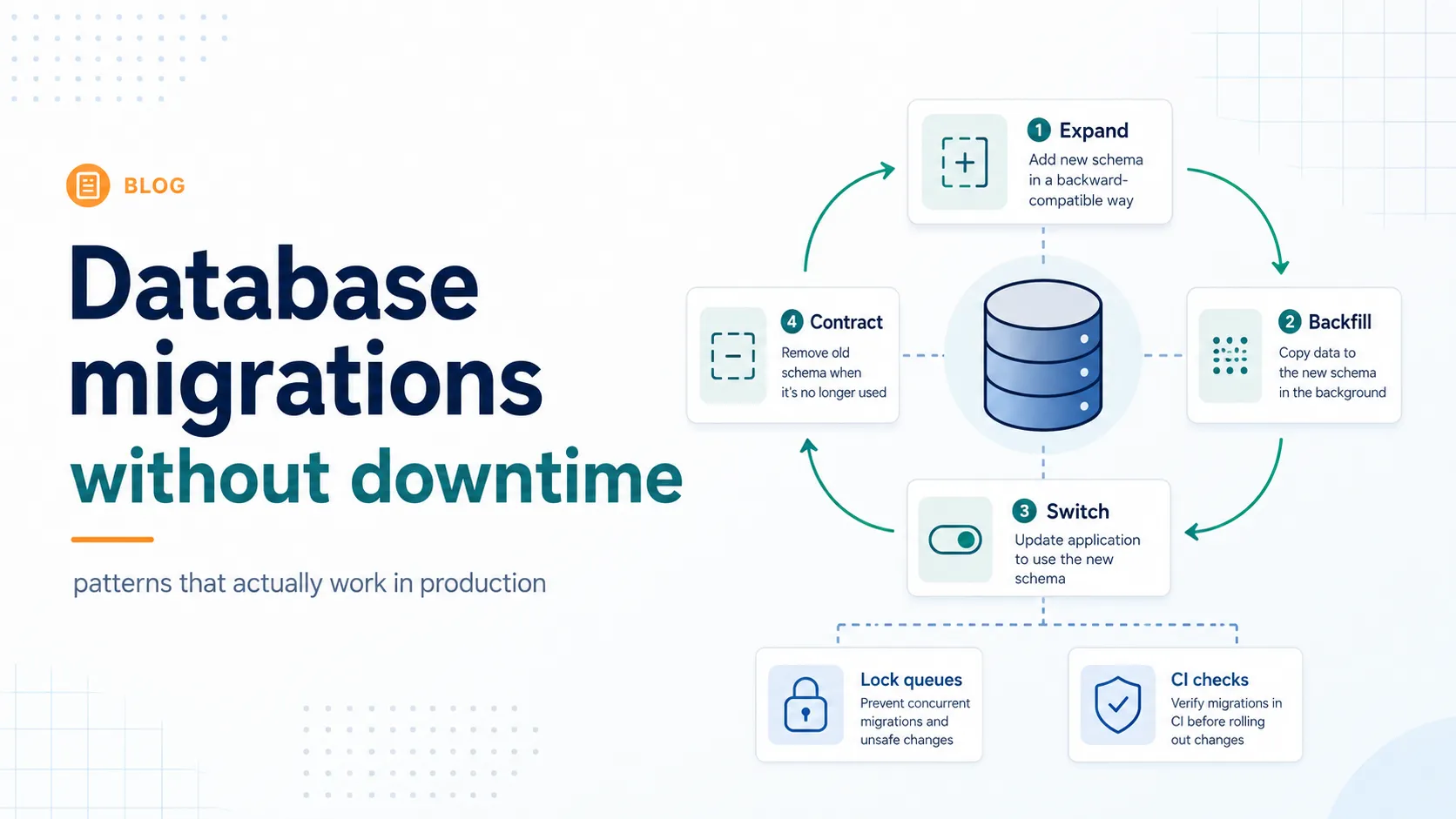
ALTER TABLE in a migration without thinking about locks | Table locked, requests queue, brief outage | Check the lock level required; set lock_timeout in migrations |
-- Keyset pagination: constant time regardless of how deep you go
SELECT id, placed_at, total_cents
FROM orders
WHERE (placed_at, id) < ($1, $2)
ORDER BY placed_at DESC, id DESC
LIMIT 20;placed_at and id as the cursor. This needs an index on (placed_at DESC, id DESC) to pay off.PostgreSQL against the alternatives
| Option | It wins on | PostgreSQL wins on | Pick it when |
|---|---|---|---|
| MySQL / MariaDB | Replication familiarity, some read-heavy simple workloads | Type system, extensions, jsonb, window functions, constraint depth | You have existing MySQL expertise and simple relational needs |
| SQLite | Zero operations, embedded, single file | Concurrency, network access, extensions, scale | The database is local to one process or device |
| MongoDB | Schema-free ergonomics, horizontal write scaling | Transactions, joins, constraints, SQL, jsonb covers most document needs | You genuinely need distributed writes and no schema |
| ClickHouse / DuckDB | Analytical query speed on very large datasets | Transactional workloads, mixed read/write, one system for everything | Analytics is the primary workload, not a side of it |
| Managed Aurora / Cloud SQL / Neon | Operations, failover, scaling handled for you | Portability, cost control, no version lag | You would rather pay than run it - usually the right call for small teams |
A learning path that works
Week one: fluency
- Install PostgreSQL locally or run the Docker image, and use
psqlrather than a GUI while you learn. - Work through the official Tutorial - it is short and better than most paid courses.
- Build a small schema of your own: three or four tables with real foreign keys and check constraints.
- Practise joins until inner, left, and the difference between
WHEREandONfiltering are automatic. - Learn ten
psqlbackslash commands.\d,\x,\timingand\ewill carry you a long way.
Month one: the parts that make it PostgreSQL
- Aggregations and
GROUP BY, then window functions - build the same report both ways to feel the difference. - CTEs, including a recursive one over a category or org-chart table.
jsonb: store a document, query it with->>and@>, then add a GIN index and compareEXPLAINoutput before and after.- Indexes: create one, force a sequential scan with
SET enable_indexscan = off, and compare the plans. - Transactions and isolation: open two
psqlsessions and make them block each other on purpose. Nothing teaches locking faster. EXPLAIN ANALYZEon every query you write until reading a plan stops feeling like work.
Month three: production judgement
pg_stat_statements- find your slowest queries and fix the top three.- Vacuum and bloat: understand why they happen, and read
pg_stat_user_tablesregularly. - Connection pooling with PgBouncer, including what transaction mode takes away.
- Backup and restore, with an actual timed restore into a scratch database.
- Replication: set up a streaming replica locally and promote it.
- Partitioning: take a large table and partition it by range, then look at how the plans change.
- One extension in depth - pgvector, PostGIS or TimescaleDB, whichever your work needs.
Resources worth the time
- The official documentation - genuinely one of the best technical manuals in software. Read it directly rather than searching for blog posts.
- Use The Index, Luke - the clearest explanation of SQL indexing anywhere, and free.
- PostgreSQL Exercises - practice problems with answers, in the browser.
- explain.dalibo.com - paste a plan, see where the time went.
- Planet PostgreSQL - aggregated blogs from the people who build and operate it.
\h CREATE INDEXin psql - inline help for every SQL command, without leaving the terminal.
Verdict
PostgreSQL is the best default database for the large majority of applications, and the reason is not any single feature. It is that the type system, the constraint system, the extension mechanism and the query planner are all good enough that you can push real correctness into the database and delay every other system you thought you needed.
It asks something in return. Vacuum, connection pooling, index design and query plans are not optional knowledge - they are the operational surface, and teams that ignore them hit a wall around the point their data gets interesting. That learning is portable, though. It stays true across versions, across managed providers, and across jobs.
Start with one PostgreSQL. Add a second system only when a measured constraint forces you to, and be able to name the constraint.
If you are learning it, spend the time on EXPLAIN and on the type system rather than on ORMs - those two will change how you design schemas, and the rest follows. If you are already running it, install pg_stat_statements, look at your top three queries by total time, and test a restore this week. That is usually where the wins are.
Sources
- PostgreSQL documentation - the manual, the tutorial, and the SQL reference
- PostgreSQL 18 release notes - AIO, skip scan,
uuidv7(), temporal constraints, upgrade improvements - Versioning and support policy - five years of support per major version
- pgvector - vector types, HNSW and IVFFlat indexing,
halfvec - PostGIS - the geospatial extension
- PgBouncer and pgBackRest - pooling and backup
- Use The Index, Luke - indexing from first principles